Print. Sign. Scan. — never again
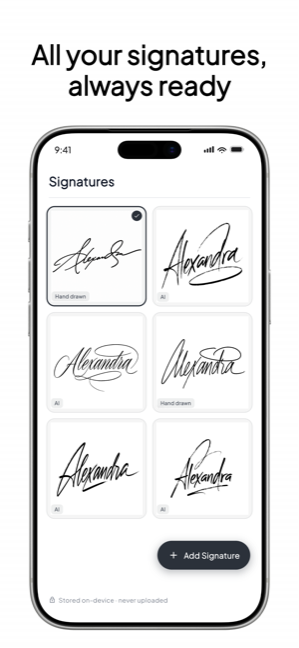
Draw your signature once — or let AI design one that looks like you — then sign any PDF in under a minute. Leases, forms, NDAs, the thing your landlord just emailed. Private by design: nothing ever leaves your phone.
Private by design
The lease, the offer letter, the medical form — the documents you sign are the most personal files you own. Signed is local-first: documents, signatures and initials live only on your iPhone. No upload, no cloud copy, no server that can see them. The paperwork you sign is nobody's business but yours.
How it works
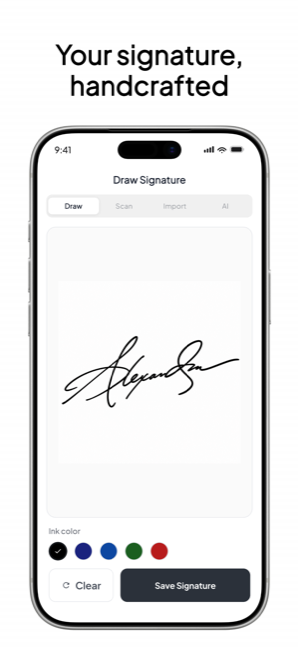
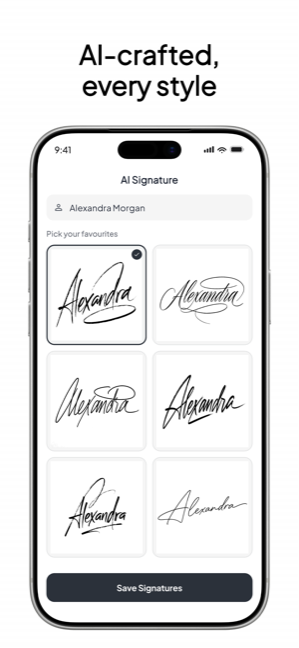
Draw it with your finger, type your name and pick a real handwriting style, or let AI generate one that looks like you.
From Files, Photos, Mail or any app. Your document stays on your iPhone — nothing is uploaded, ever.
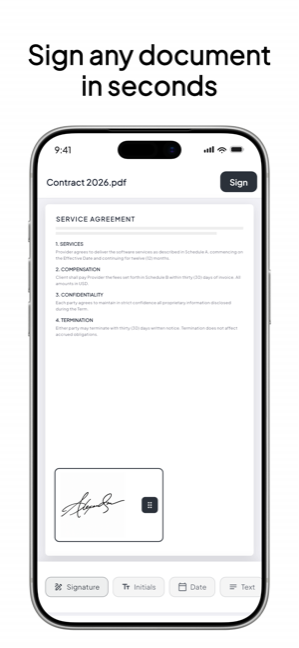
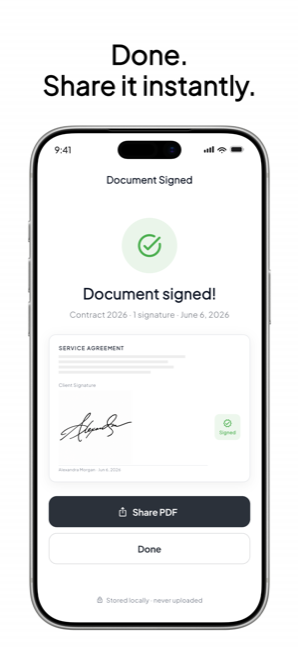
Drop your signature, initials and date exactly where they belong. Export a clean, flattened PDF and send it back.
Free — right in your browser
Draw or type your signature and download it as a transparent PNG or SVG — free, no watermark, nothing uploaded. When you're ready to put it on documents, the app takes over.
Made for
Sign and send it back in the same coffee break — no printer involved.
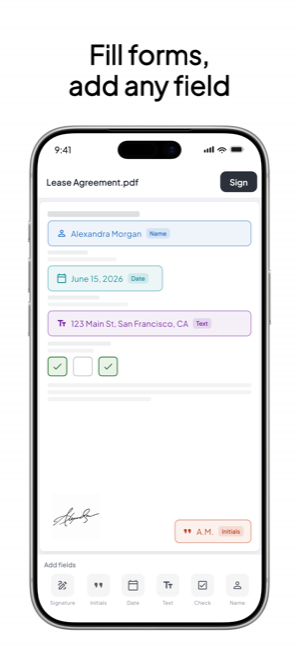
Learn more →Fill the fields, tick the boxes, sign, done — from the school car park.
Learn more →Look professional in minutes, not “I’ll find a scanner tomorrow.”
Learn more →Draw it, type it in a real handwriting style, or let AI design it.
Learn more →The everyday paperwork of life, handled on the spot.
Learn more →Local-first by design — what you sign is nobody’s business but yours.
Learn more →The app


From the App Store
“Signing documents on my iPhone has become incredibly quick and hassle-free. I love how easy it is to create a polished signature, place it exactly where needed, and know that everything stays securely on my device.”
“Really impressed with how simple and smooth this app feels. I love that everything stays on my device which makes it feel way more secure and private. Definitely worth it if you deal with documents regularly.”
“Signed completely eliminates the hassle of printing and scanning by allowing you to sign any PDF on your iPhone in under a minute using a natural finger-drawn or AI-generated signature.”
Pricing
Current prices are shown in the App Store before you confirm. Compare with e-sign subscriptions that run $10–25/month and upload your documents to their cloud.
Questions
Draw it with your finger on Signed’s smooth canvas, type your name and pick a real handwriting style, or let AI generate one — then reuse it on every document.
Learn more →No. Signed is local-first: documents, signatures and initials are stored only on your iPhone. Nothing is uploaded, and there is no cloud copy on any server.
Learn more →For everyday paperwork — leases, school forms, waivers, NDAs — a signed PDF is widely accepted. For high-stakes legal documents, check what your jurisdiction or counterparty requires.
Learn more →Yes — open the attachment, share it to Signed (or import from Files/Mail), drop your signature and date, and share the signed PDF straight back.
Learn more →Signed is free to download and you create your first signature free. Signed Pro (a subscription, with a lifetime option) unlocks AI signatures, your signature library, and unlimited signing.
Learn more →Yes — type your name, pick a style, and Signed’s AI generates a handwritten-style signature that looks like a person wrote it, not a font.
Learn more →Create your signature in Signed (or our free web tool) and export it with a transparent background — it drops cleanly onto any document without a white box.
Learn more →Yes — your name and today’s date fill themselves in, and saved initials are one tap. The common fields are the fastest part.
Learn more →